Administrator Documentation
The Location Administrator has the same access as a Manager, with additional capabilities to manage schedule release and confirmation date settings.
Check Audit Log for the Shift
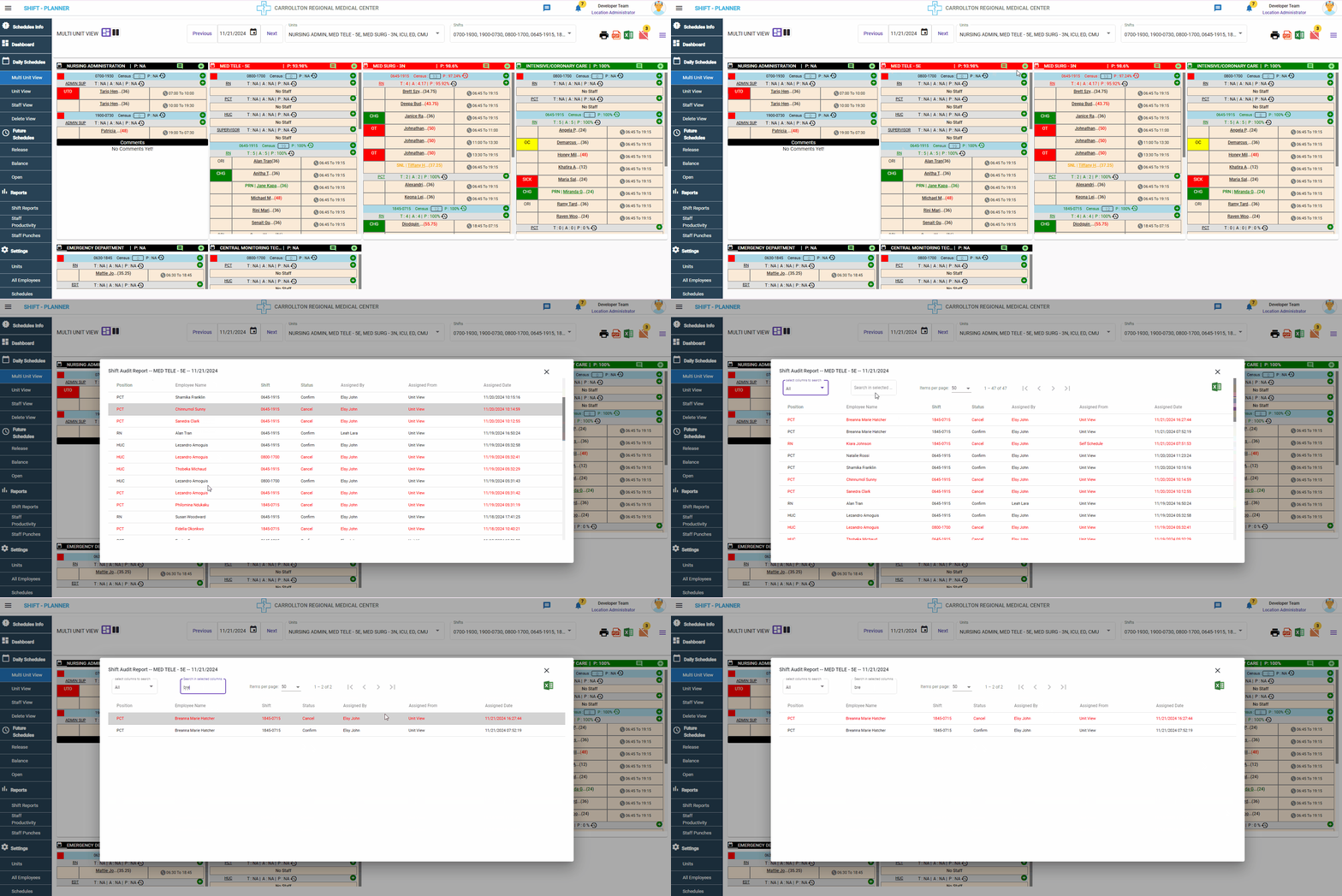
Administrators can review the complete audit log for a shift, starting from the initiation of self-scheduling to the day the schedule is closed. The audit log includes details about:
- Changes made, such as splitting shifts, updating shift type or sub-type.
- Cancellations and any other modifications.
This functionality is accessible from the Multi Unit View.
For more details, check the following video:
Settings
To manage schedule-related date settings, navigate to:
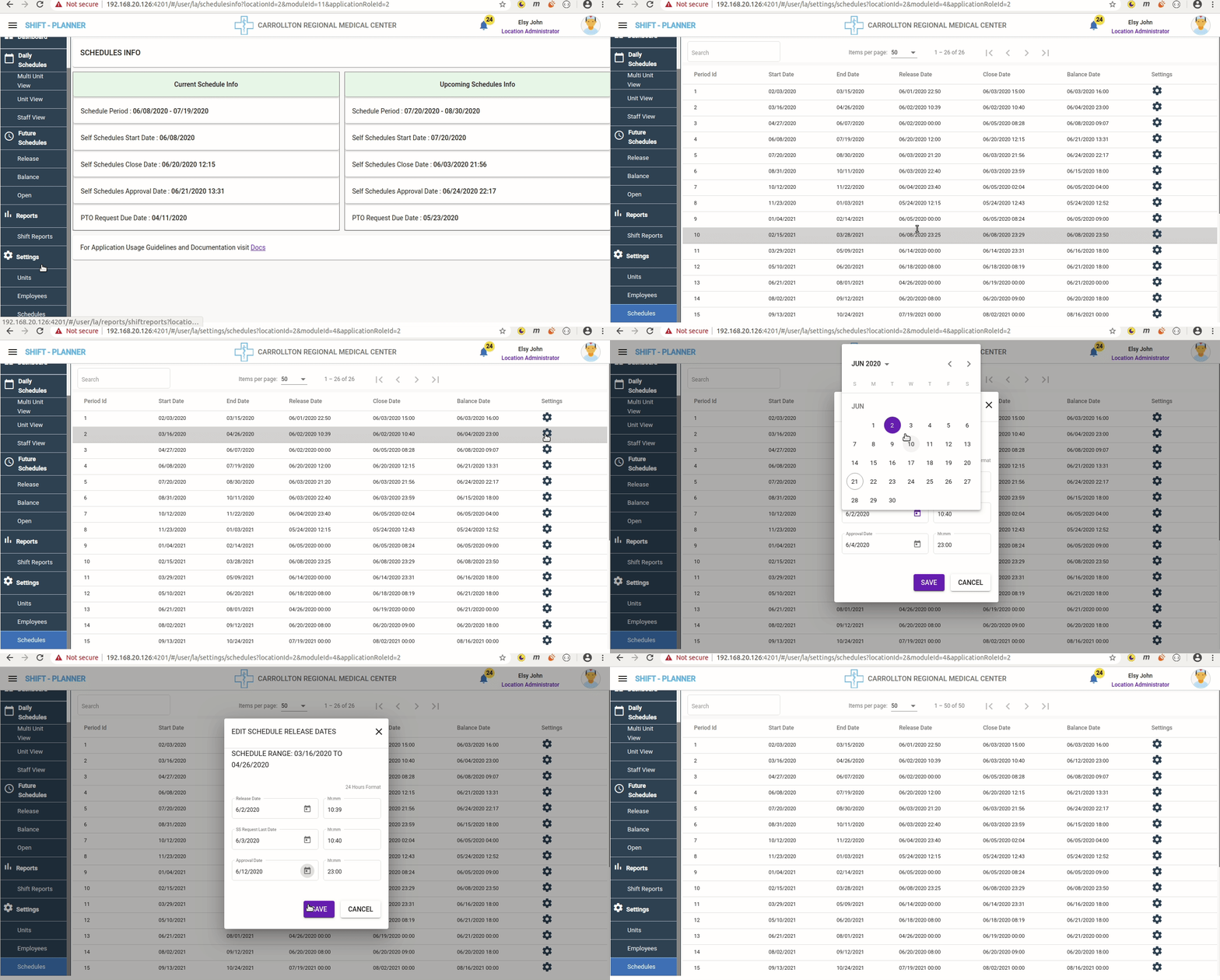
Settings → Schedules
Schedules
The schedule settings include the following configurations:
- Standard Configuration:
- 6 Weeks Before: Schedules are released by Managers.
- 2 Weeks for Self-Schedules: Staff have 2 weeks to apply for self-schedules after release.
- 2 Weeks for Balancing: Managers have 2 weeks to balance schedules and release open shifts.
- Open Shifts: Staff can apply for open shifts until 2 hours before the shift starts.
By default, these dates follow the standard configuration. However, Administrators can adjust them if necessary.
How to Edit Schedule Dates
To edit schedule-related dates:
- Click on the Settings Icon for the required schedule record.
-
A pop-up will appear with the following date settings:
-
Release Date
- The date when schedules are released.
- Currently, this setting has no direct impact as schedules are released manually by Managers from the Release screen.
-
SS Request Last Date
- The deadline for staff to apply for self-schedules.
- Staff cannot request self-schedules after this date and time.
-
Approval Date
- The deadline for Managers to approve self-schedules.
- Managers can balance self-schedules only between the SS Request Last Date and the Approval Date.
- After the Approval Date, Managers can release open shifts from the Open Schedules screen.
-
Important Note
Danger:
Continuous changes to schedule dates for the same schedule are not recommended.